Start Guide
Client portal guide for responding to audit requests, uploading documents, and collaborating with your audit team efficiently.
Agentive is designed to make audit collaboration seamless, helping you respond to requests quickly, stay organized, and keep your engagement on track. Whether you're uploading documents, coordinating with your team, or tracking progress, Agentive offers a clean, intuitive platform that adapts to your workflow.
This guide will walk you through the key features of Agentive and help you get up to speed quickly, so you can focus on what matters most: providing your audit team with the information they need efficiently and keeping your audit moving forward.
Let's get started!
Intro to Agentive
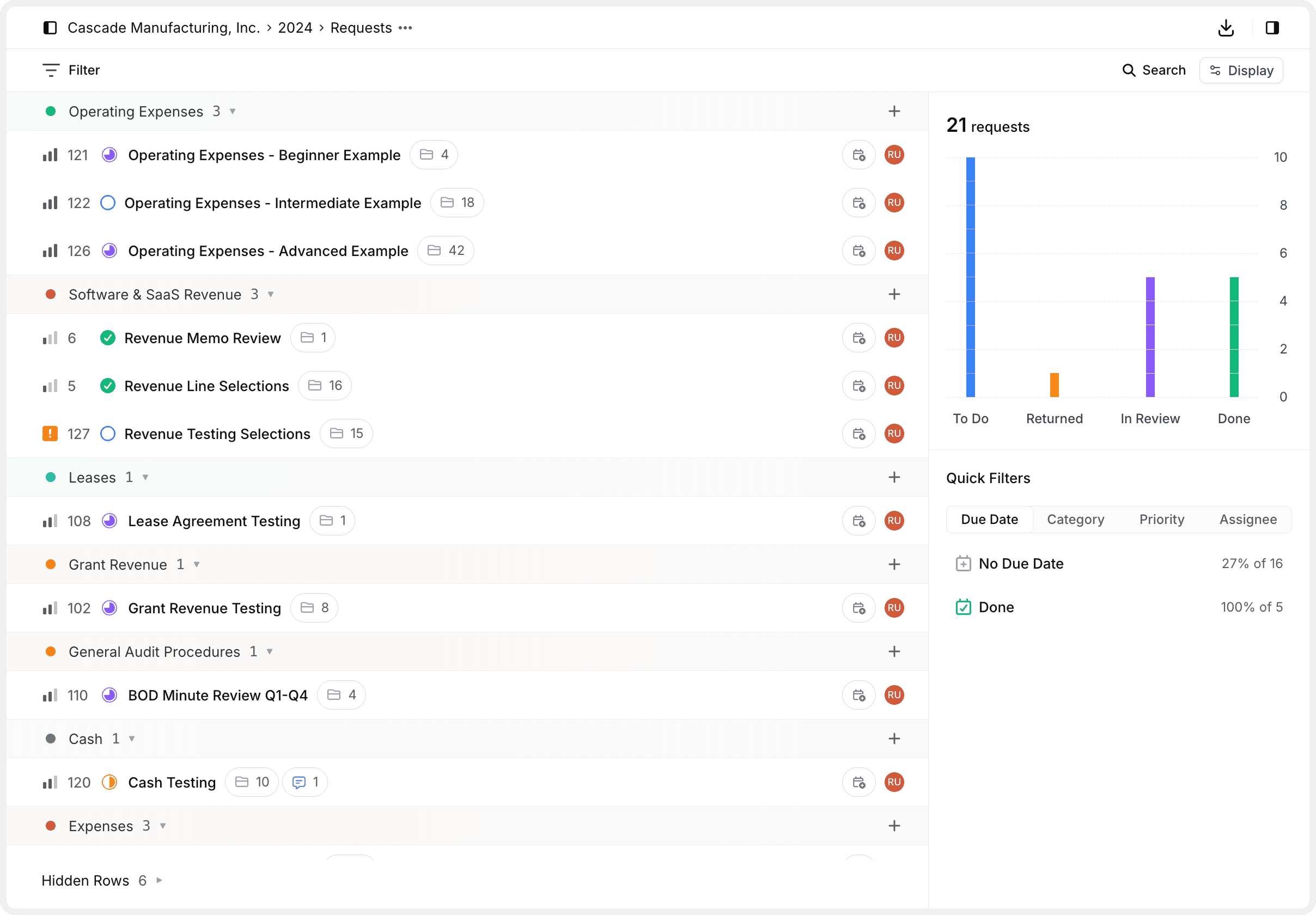
You're invited to an engagement
Your audit team has created an engagement for your audit and invited you to participate. Think of an engagement as your collaborative workspace—it's where all the information requests, documents, and communication for a specific audit period live in one organized place.
Each engagement typically represents a specific audit scope and timeframe, like "2024 Financial Statement Audit" or "Q4 Internal Review." You might be invited to one or multiple engagements depending on your organization's audit schedule.
When you log in, you'll see your engagements listed in the sidebar. Click on one to view all its requests and get to work.
What's inside an engagement:
Organized by period
Each engagement covers a specific time period (e.g., fiscal year 2024).
Contains all requests
Every information request for that audit is grouped together in one place.
Team collaboration
Both your team and the audit team work together seamlessly.
Categorized work
Requests are organized by audit areas like Revenue, Expenses, and Cash.
Requests are what you'll work on
Within each engagement, your audit team creates requests—these are specific asks for documents, data, or supporting information they need from you.
Every request includes helpful components to keep you organized:
| Component | What It Means |
|---|---|
| Title & Description | Clear explanation of what's being requested |
| Reference Files | Optional files or documents that help you understand the request |
| Categories | Audit areas like Revenue, A/R, Payroll that help organize work |
| Due Dates | Target completion dates so you can prioritize |
| Priorities | Urgency levels (Urgent, High, Medium, Low) set by your audit team |
| Status | Current stage in the workflow (more on this below) |
| Team Members | Who's assigned on your side and who to contact on the audit team |
Requests can be simple (just upload some files) or itemized (a structured table with multiple items requiring different document types). Don't worry—Agentive makes both types straightforward to complete.
Your role: Respond and collaborate
Your main job in Agentive is to provide the information your audit team needs. Here's how:
Your audit team handles the behind-the-scenes setup—creating engagements, defining categories, and managing settings. You focus on what matters: responding to requests and collaborating with your team.
Understanding the request workflow
Requests move through stages, and knowing this flow helps you take the right action:
To Do → Ready for you to work on
- Review the request, gather documents, upload files
- Add clarifying comments and assign to a team member if needed
Returned → Audit team needs more information
- Review their comments to understand what's needed
- Provide additional info or corrected documents
- Move back to "In Review" when ready
In Review → You've submitted for audit team review
- Update status to "In Review" when you've uploaded everything
- Wait while your audit team reviews your submission
Done → Approved and closed 🎉
- No further action needed. Request is complete!
Your audit team moves requests from "In Review" to either "Done" (approved) or "Returned" (needs more info). You move requests from "To Do" to "In Review" when ready.
Need Help?
How is this guide?