Administration
Clients
Create and manage client organizations to group engagements, contacts, and audit work.
Create as many client organizations as you need—each one represents a unique company or subsidiary you support.
Client organizations serve as containers for all engagements, contacts, and audit work related to a specific company.
Adding a new client
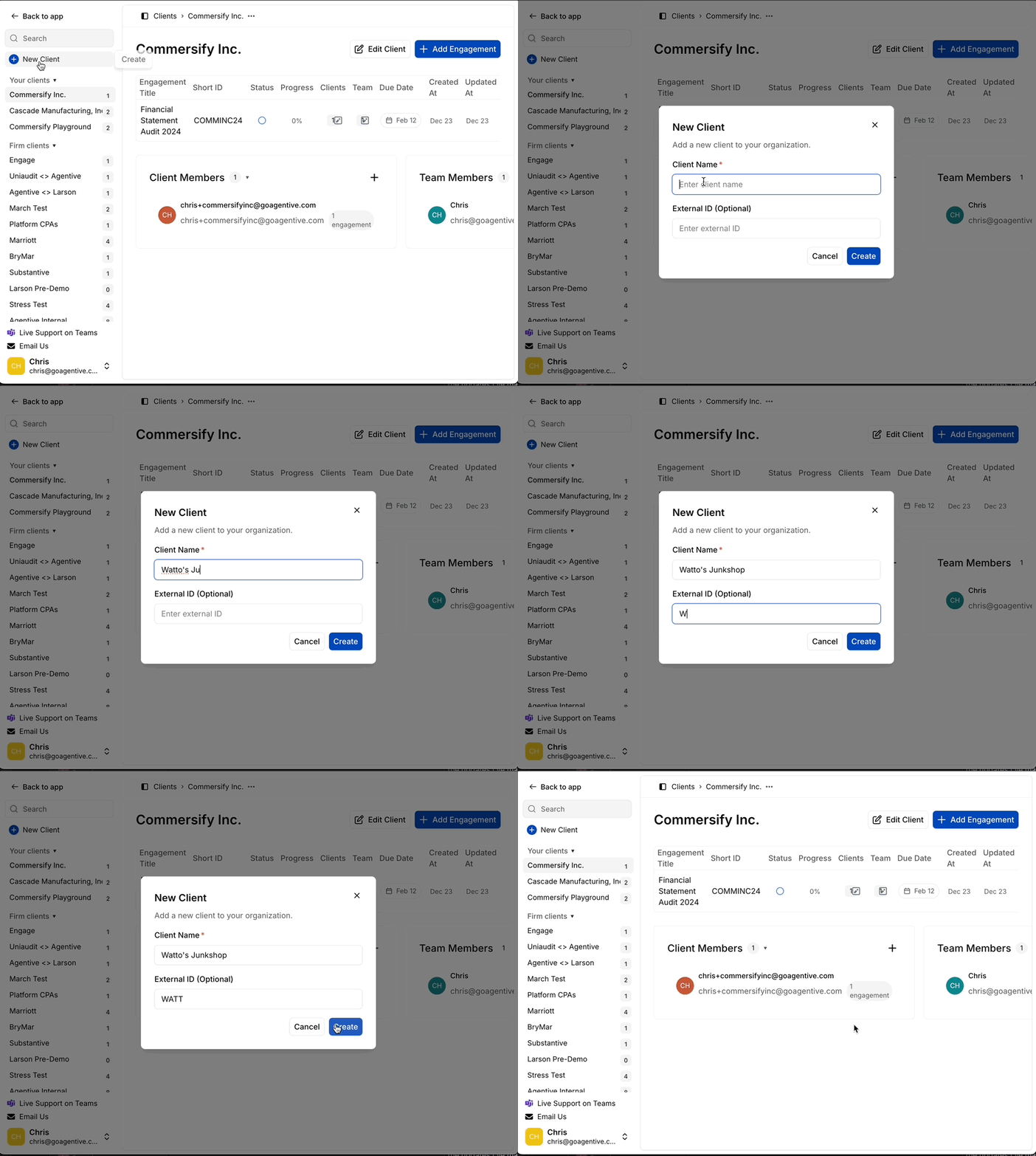
Navigate to client management
Access the client management section at app.goagentive.com.
- Locate the Client List in the left-hand sidebar
- View all current firm clients in one place
Create the client
- Hover over the (+) button in the sidebar
- Click to open the client creation dialog
- Enter client details:
- Client Name – Formal organization name (e.g., Commercify Incorporated)
- External ID (Optional) – Cross-platform ID for external audit software integration
- Click Create
The system automatically creates a client record and prompts you to set up your first engagement.
How is this guide?