Engagements
Create and manage engagements to organize audit work by client, period, and scope with your team.
Overview
Engagements in Agentive are used to organize and collaborate on work by client, period, and scope. Engagements define who is involved, what work is tracked, and how that work is structured.
Each engagement has the following components to help you organize and collaborate on work:
Your Engagements
Engagements you have joined will appear in your sidebar while they remain active.
Each engagement has the following capabilities to help you organize and collaborate on work:
- Requests for requesting files and supporting information from clients.
- Workpapers for automated testing of requested documents
- Timelines to track the progress of your work and the completion of requests.
- Categories to organize requests by areas like Revenue, AR, Payroll.
- Tasks * for internal engagement work that is not visible to clients.
Capabilities marked with an * are opt-in and need to be enabled in engagement settings.
Engagement Settings
Engagement settings allow you to configure each engagement differently to support different processes.
To access your engagements settings:
-
From the app sidebar, hover over the engagement name, and click the three dotsmenu and select settings.
-
From the request list/board breadcrumb, move over to the far right of the breadcrumb trail and select themenu and select settings.
-
From the client list click the three dotsmenu under actions in the client engagements table and select settings.
You can configure the following settings:
| Setting | Description |
|---|---|
| Engagement name | A descriptive name (e.g. 2024 Financial Statement Audit). |
| Identifier | A short code used to identify tasks and requests (e.g. MAR). |
| Status | The current state of the engagement. |
| Due date | Target completion date for the engagement. |
| Audit period | The date range the engagement covers. |
Managing Members
Adding team members and clients
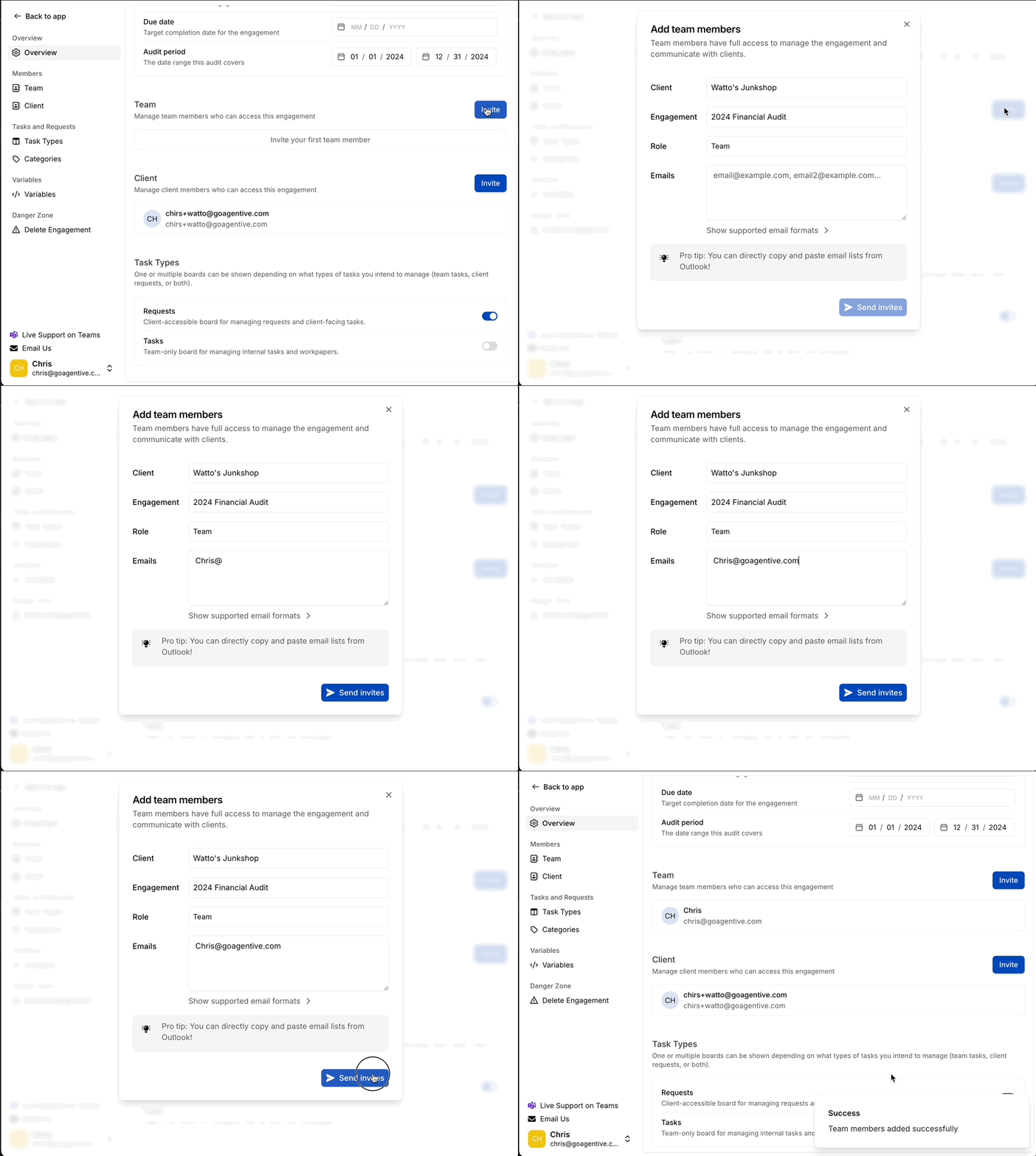
Use the Invite button to invite members.
- Team section – Firm users
- Client section – Client users
Removing team members and clients
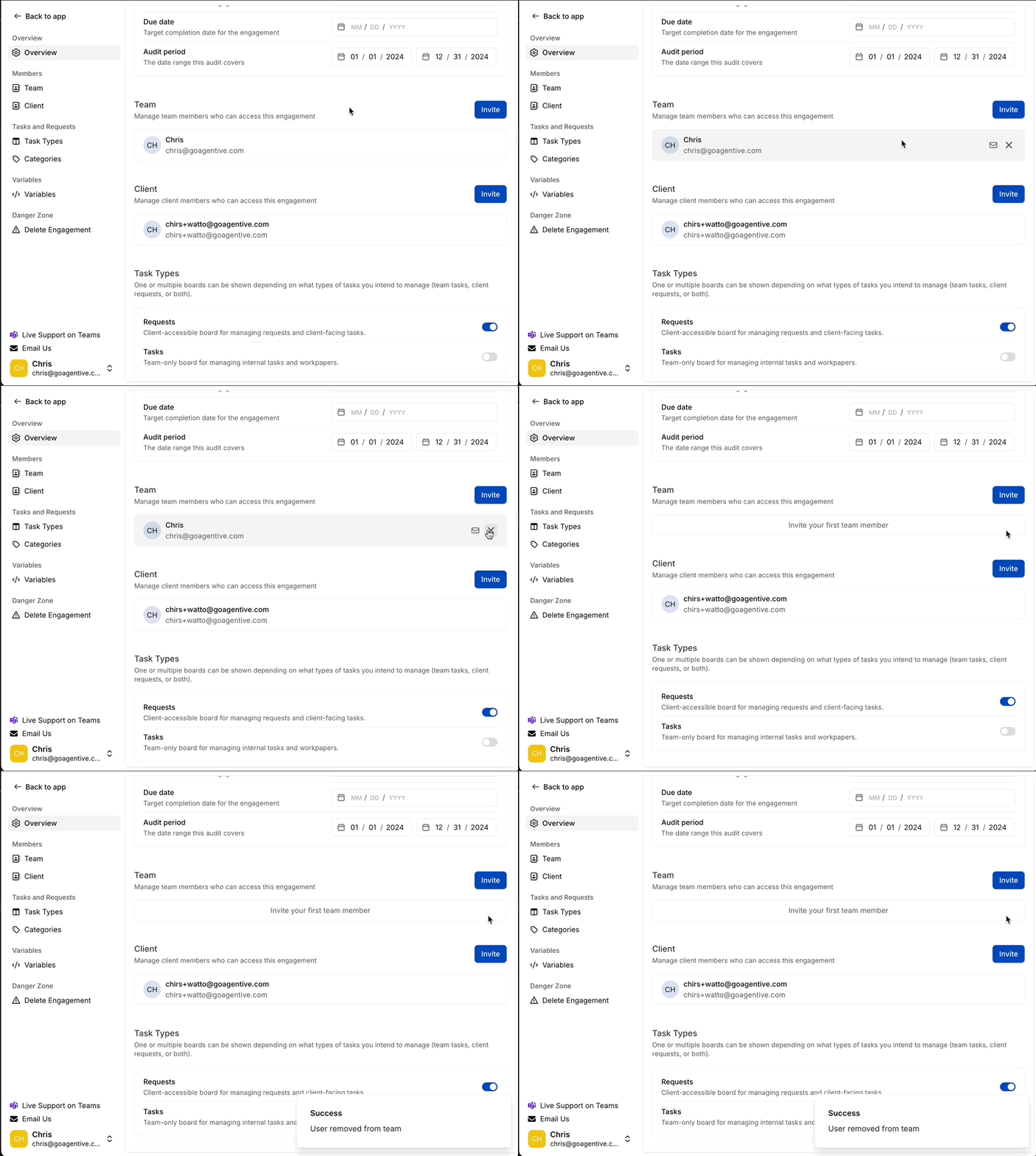
Hover over the name of the team member or client you would like to remove from the engagement and select the .
Removing a member revokes their access immediately. They can no longer view engagement data.
Task Types
Understanding the distinction between these two areas is critical for maintaining internal privacy and client collaboration.
| Feature | Visibility | Primary Purpose |
|---|---|---|
| Tasks | Internal Only | Planning, execution, and notes between audit team members. Clients cannot see these. |
| Request List | Client-Facing | Collecting PBC items, evidence, and documentation for matching and review. |
Client contacts can only see items explicitly published to the Request List. Tasks remain completely private to the audit team.
Categories
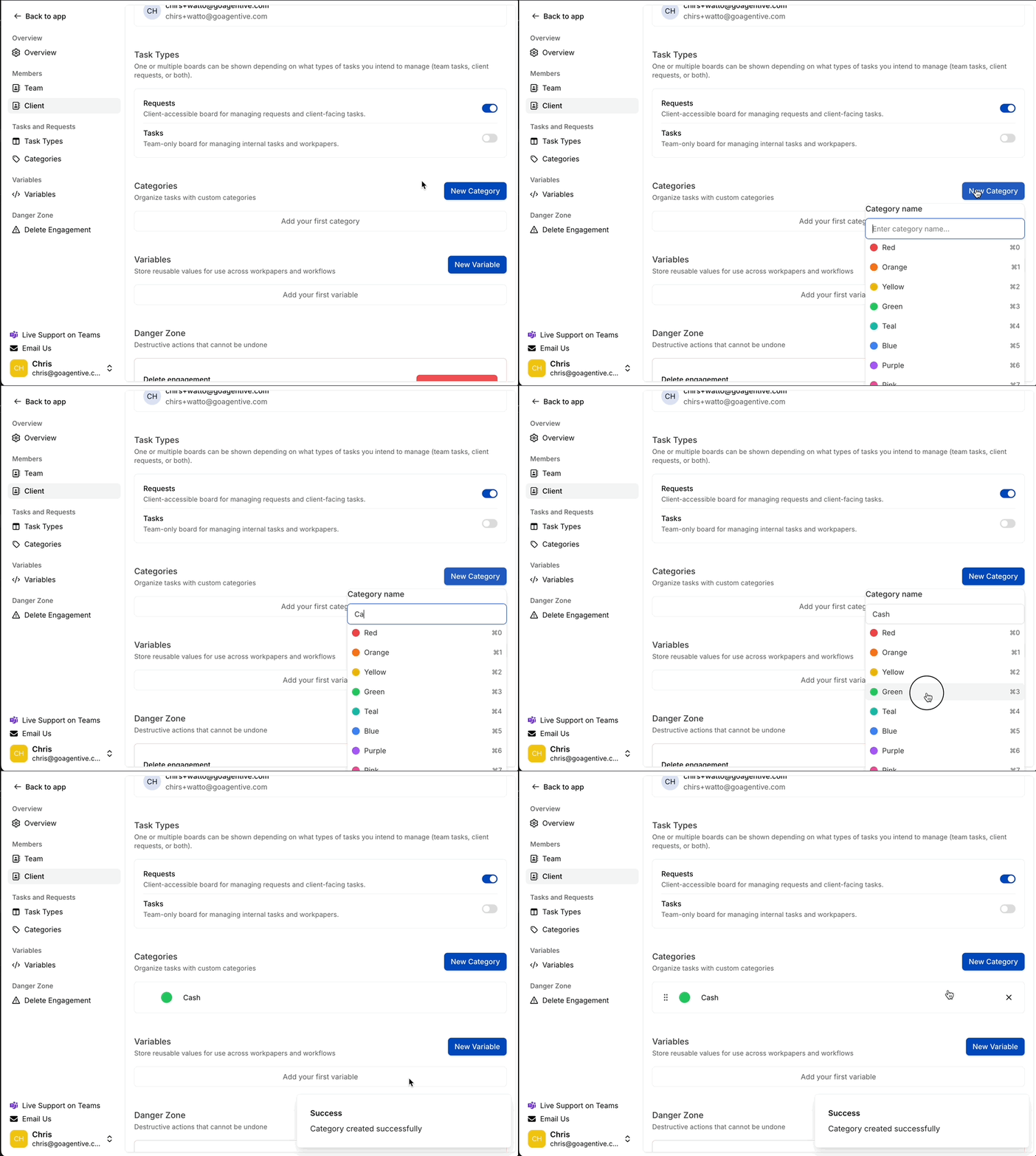
Add a new category
- Click the New Category button
- Type in the name of the category you would like to add
- Select the color you would like for the category
Variables
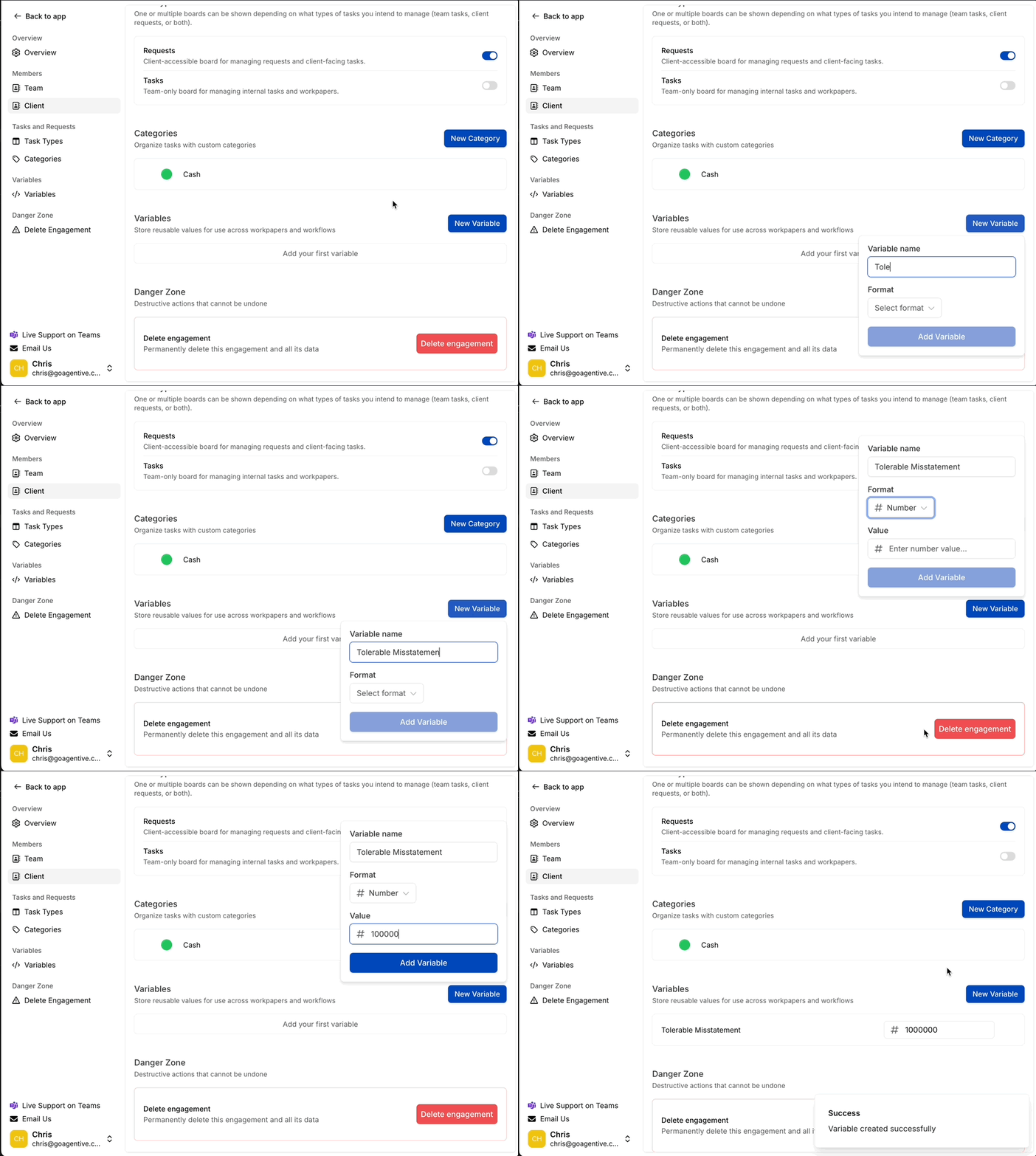
Add new variables
- Use the New Variable button to create new variables
- Type in the name of the variable
- Select the format (Text, Date, Number)
- Enter the value for the variable
- Select Add Variable to add the variable to the engagement.
Variables are engagement-specific and inherited by all requests and workpapers within the engagement.
Deleting and archiving engagements
Create Engagements
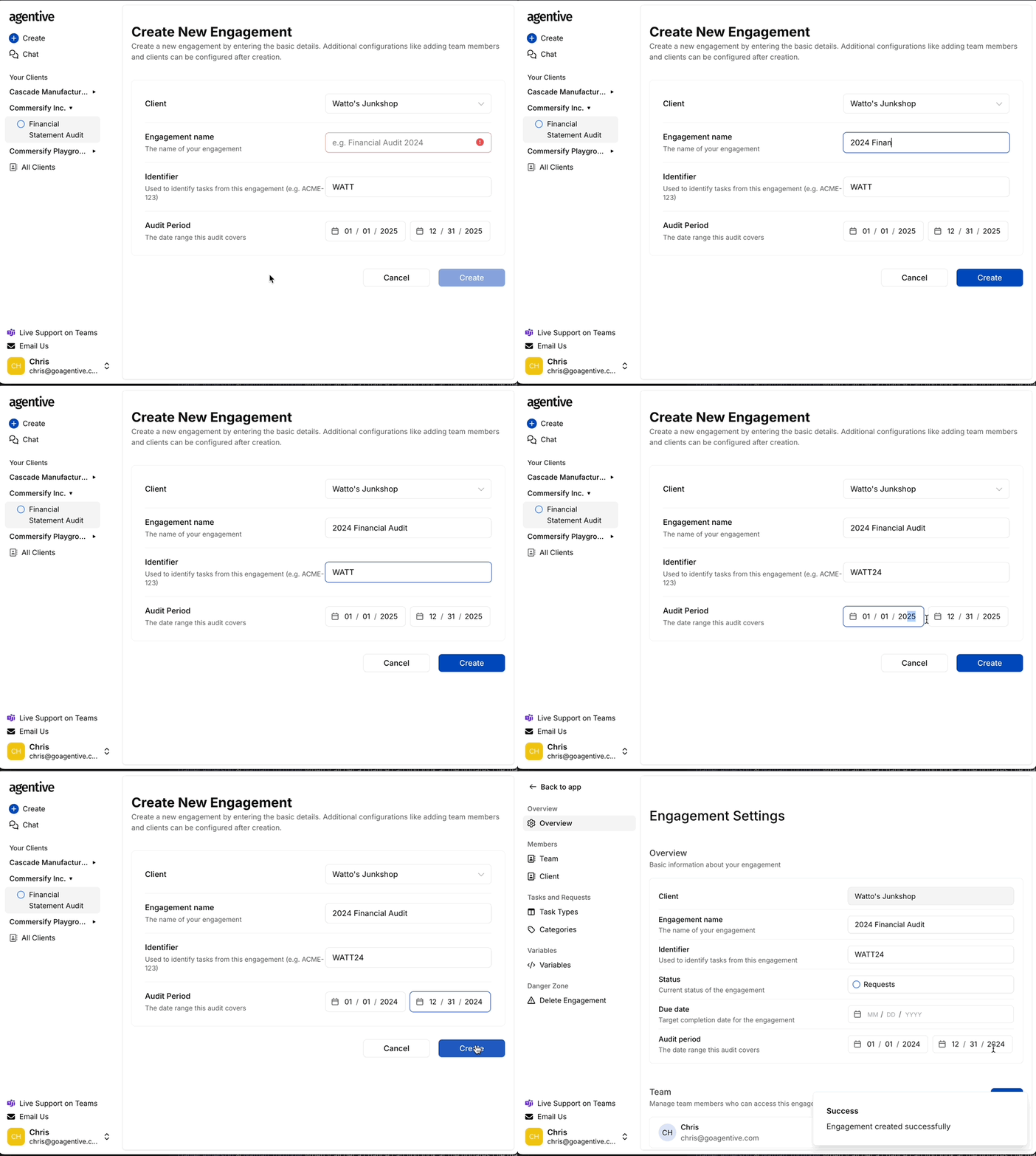
After creating a client, set up your first engagement.
Define Engagement Details
- Engagement Name – Descriptive title (e.g., Financial Statement Audit 2024)
- Identifier – Unique short-code prefix for all task numbers
- Audit Period – Date range the audit covers
The short identifier must be unique across all your engagements in Agentive. The system auto-generates a suggestion based on the client name.
Create and configure
Click Create to save the engagement and navigate to the settings page for further configuration.
Accessing engagement settings
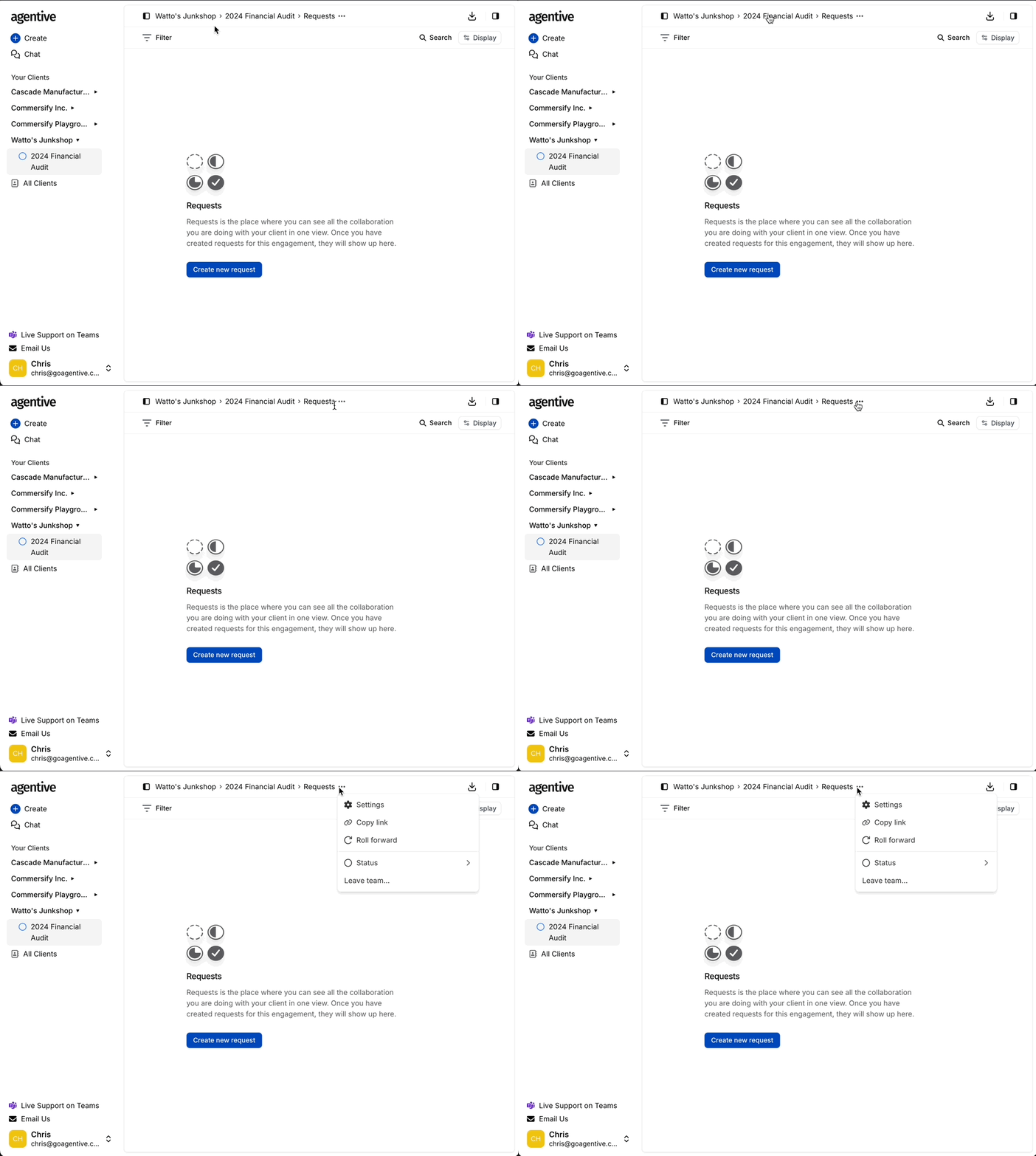
Locate the breadcrumb menu
- Find the breadcrumbs at the top displaying Client Name and Audit Year
- Click the to the far right of the breadcrumb trail
Select action type
Choose from available options:
- Settings – Modify core engagement details
- Copy Link – Copy the engagement to your clipboard
- Roll Forward – Transition to the following year
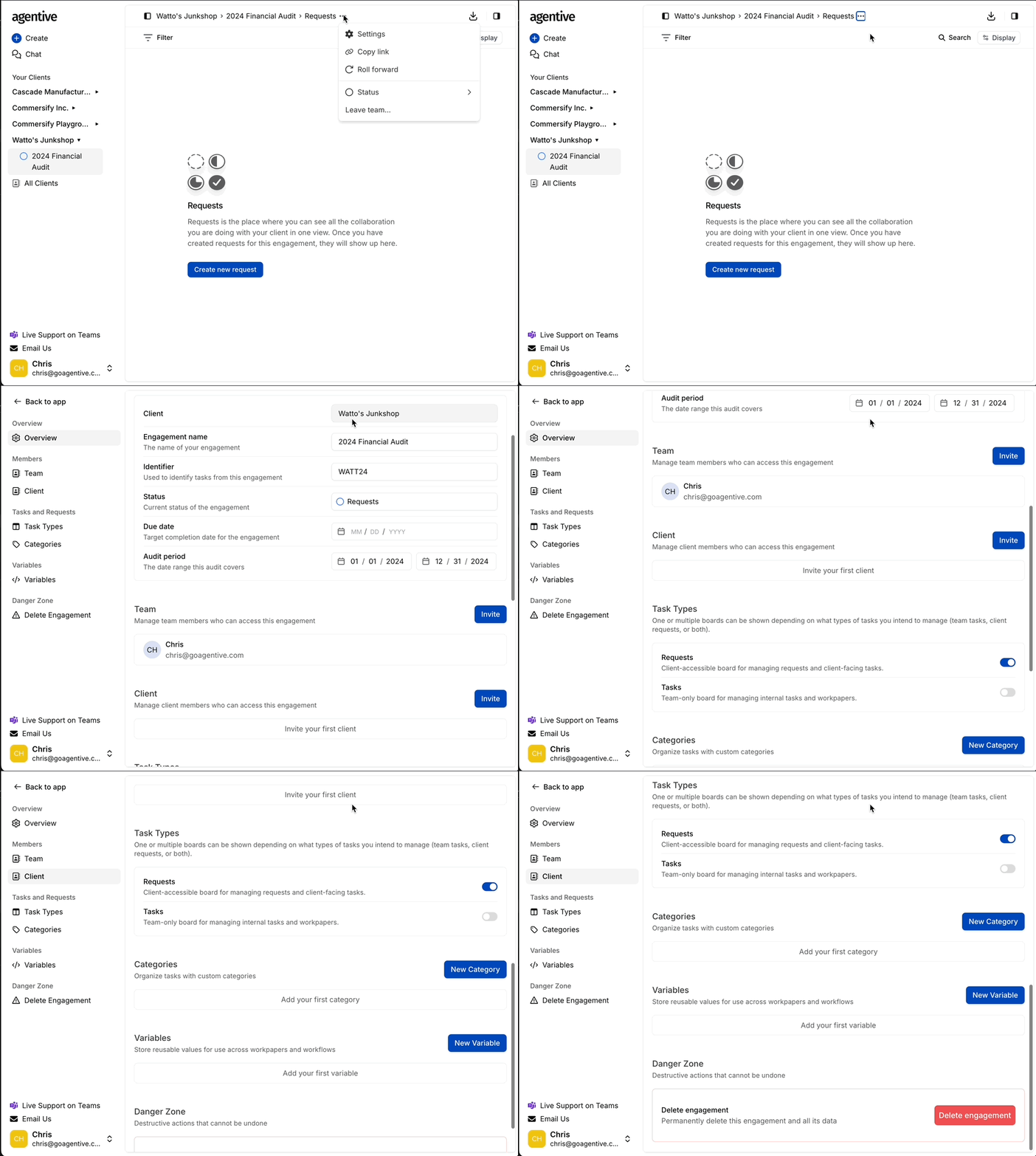
Review settings
- Select Settings from the dropdown menu
- The engagement overview page opens with all editable fields
How is this guide?